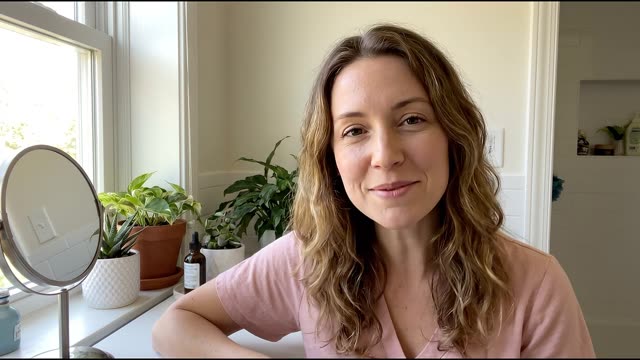

Bulk video interviews: hear from every applicant without scheduling calls
Send one link to every candidate. Everyone records on their own schedule; every video and voice answer is transcribed and summarized, so reviewers read before they watch.
No credit card required. 28-day free trial.

Trusted by forward-thinking teams









What is a bulk video interview?
A bulk video interview is one recorded interview sent to every applicant for a role through a single link. Everyone answers the same questions on their own schedule, from any device, with no calls to book. Each recorded answer is transcribed and summarized as it arrives, and tags, favorites and inbox status help the team work through the pile.
You have 200 applicants. Scheduling an individual first-round call with each would take all month.
- One link for every candidate, no scheduling
- AI transcribes and summarizes every video and voice response
- Tags, favorites, and inbox status to sort the pile
- Zapier integration with Greenhouse, Lever, Workable
How it works, step by step
Send one async video interview link to all candidates at once. Everyone records on their own schedule; you review in batches at your pace. No scheduling, no no-shows.
No credit card required. 28-day free trial.
Create
Step 1: Build your bulk video interview form
Create a multi-step video interview form with your intro video, 3 to 5 questions, and time limits per answer. The same form goes to every candidate, so you only build it once.
- Start the form with a 60-second "why we're excited about this role" welcome video from the hiring manager. Candidates who see a real person get a feel for the team before they answer
- Ask 3 to 5 role-specific competency questions, not generic ones: "Walk me through how you've handled [specific scenario]" surfaces actual experience faster than "Tell me about yourself"
Send
Step 2: Invite 200 candidates with one link
Paste the RecRam form link into your ATS, email campaign, or LinkedIn message. Candidates click and record on any device: phone, tablet, or laptop. No app download, no account needed.
- Include the form link in your application confirmation email: "You applied for [Role]. To move forward, please complete this 15-minute video interview at your convenience." Candidates see it while they are still engaged
- Always include a deadline in the invitation: "Please complete by [date]." Send one reminder from your ATS or email tool 24 hours before the cutoff to candidates who have not submitted yet
Review
Step 3: AI summarizes every video and voice submission
Every video is automatically transcribed and summarized with keywords. Reviewers score answers against your shared rubric and tag their favorites. The AI never scores, ranks or screens candidates.
- Read each summary and transcript, score the answer against your rubric, and decide who moves on. No need to schedule a call per candidate
- Search transcripts for role-specific experience such as "enterprise", "quota attainment" or "MEDDIC", so you can find what candidates said before you watch
What to ask
The questions below come from "Front Desk Agent application", a ready-made demo form every new account gets. Answer it yourself to see the respondent side, then make it yours.
In the demo: Front Desk Agent application

1 · Video, voice or text answer
Introduce yourself
“Please introduce yourself, and tell me why hospitality appeals to you.”

2 · Multiple choice
Do you have hotel or front desk experience?
“Have you worked at a hotel front desk before?”
Yes · No, but customer service · No experience yet
- If “Yes” Handling an upset guest
- If “No, but customer service” Handling an upset guest
- If “No experience yet” What makes great service?

3 · Video, voice or text answer
Handling an upset guest
“A guest arrives and their room isn't ready. They're upset. What do you do?”

4 · Video, voice or text answer
What makes great service?
“That's okay. In your opinion, what makes a guest feel truly welcome?”

5 · Multiple choice
Which shifts can you work?
“Which shifts would work best for you?”
Morning · Evening · Night · Any shift

6 · Short text
Which languages do you speak?
“Which languages do you speak? Our guests come from everywhere.”
Questions for this use case
ExampleWalk us through how you handled a busy shift.
Which shifts can you work?
Tell us about a time you handled a difficult customer.
Why do you want to work here?
What you get back
Every video and voice answer arrives transcribed, with a one-line summary and 3 to 5 keywords. This is one real response from the demo, as your team sees it.
Transcript · Handling an upset guest
“I'd apologize, offer a drink in the lounge, and update them every fifteen minutes.”
Elena Petrova · video answer
- AI summary
- Two summers at a resort reception; would apologize, offer a drink and update the guest every fifteen minutes.
- Keywords
- resort experience, bilingual, calm
- Also answered
- Do you have hotel or front desk experience? Yes
- Which shifts can you work? Any shift
- Which languages do you speak? English, Russian, German
- Team comments
 Alex Morgan Great energy. Love her approach to upset guests.
Follow-up in Room
- Alex MorganHi Elena, would you be open to doing a paid trial shift next week?
- ElenaYes, absolutely! Let me know what days work best for you.
- Alex MorganPerfect, I will email you some schedule options shortly.
Room messages are a conversation, not analysed by AI.
Fictional sample respondent and team from the "Front Desk Agent application" demo form. Every new RecRam account starts with these sample answers.
AI reads the words. Your team makes the calls.
Every spoken answer is transcribed, summarized and given keywords, and transcripts can be translated or turned into captions. The AI never scores, ranks, screens or decides anything about candidates: your team reviews the answers and, if you like, scores them against a shared rubric.
The RecRam pieces behind it
Everything here is in the same subscription. Integrations send each response on to the tools your team already uses.
Products
- Video FormsThe form itself: a host asks each question on video, people answer by video, voice, screen or text.
- AI InsightsA transcript, summary and keywords on every spoken answer, with translation.
- LogicBranch on a choice, a text answer or a rating, with a fallback path.
Integrations
- ZapierUse the RecRam app on Zapier to send responses to thousands of other apps, no code.
- WebhooksPOST each response to your own URL as signed JSON, on submit, or once transcription and the AI summary are done.
- Google SheetsAppend a row to a spreadsheet for every response, with the columns you choose.
More use cases for hiring and HR
- Async video interviewsOne link replaces the first-round call. Candidates record when it suits them.
- Employee onboarding feedbackCheck in at day 7, 30 and 90 and hear what new hires actually think.
- Exit interview collectionLet people explain why they are leaving, on their own time.
Rated 4.8 out of 5 on G2
From HR, product and marketing teams who collect their answers on video.
Read all reviews on G2“RecRam has solved my 'How do I leave a video testimonial?' problem. Rather than giving clients a confusing process, I now share a RecRam link... Easy as 1-2-3!”
Bulk video interview invitations FAQ
Still have questions? Chat with our team
They won't type it.
But they'll show it.
Start collecting real feedback in video. See what your customers actually think and feel.